Prices Display
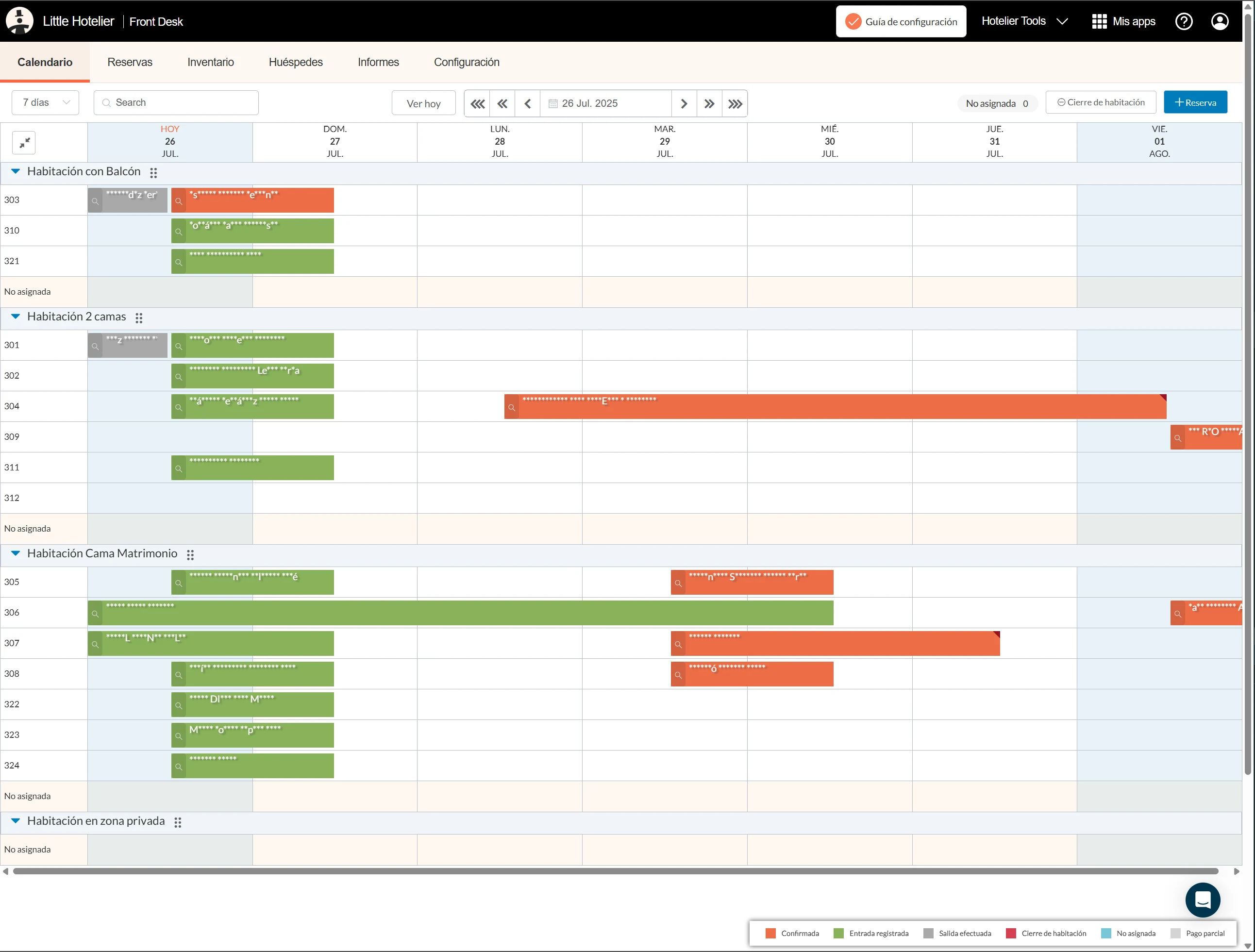
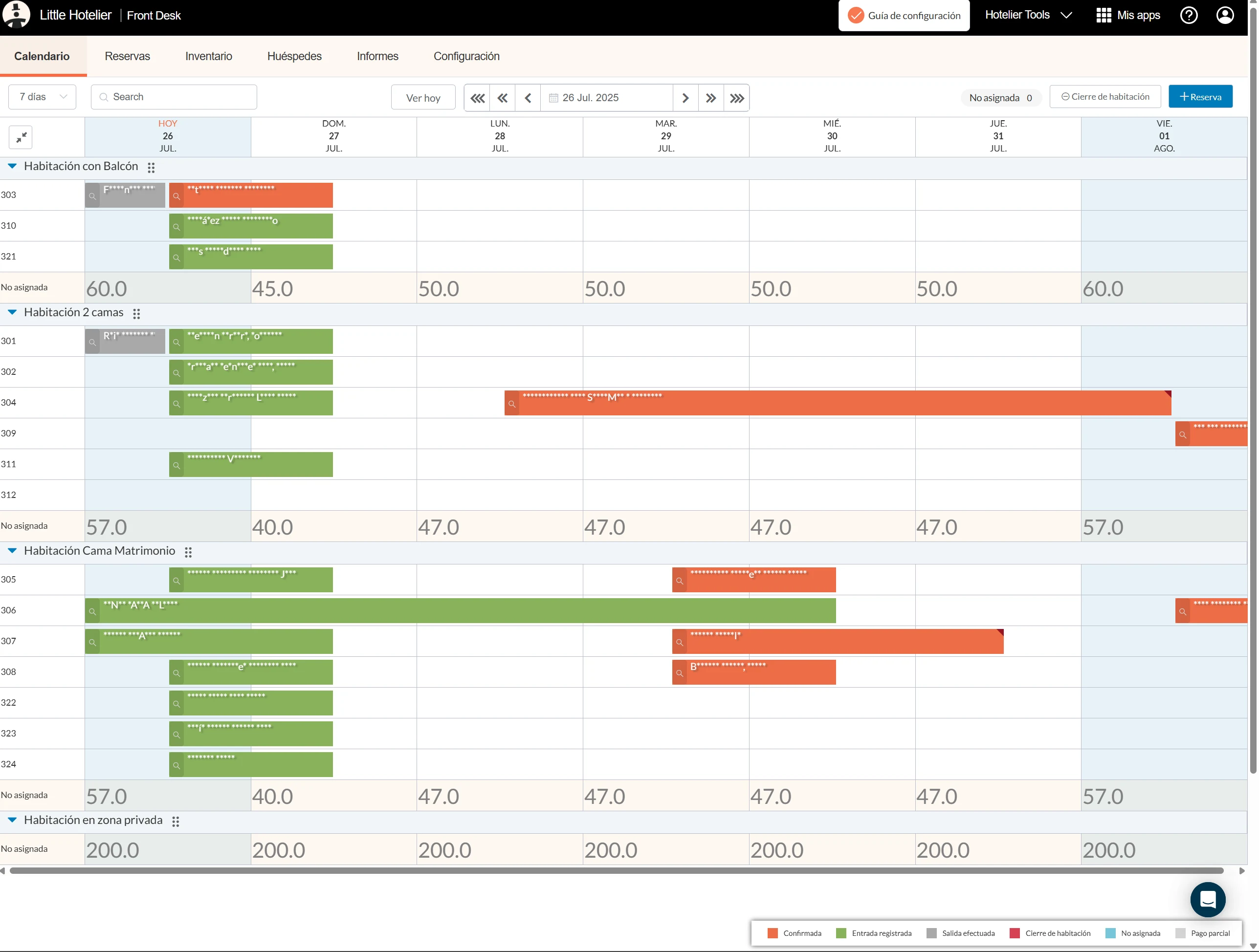
This script shows the price of each room type for each night directly on the Little Hotelier calendar. When a guest calls to ask how much Friday costs, the front desk sees it on the same screen as availability, without opening the Inventory page. It is for front desk staff taking phone and walk-in bookings, and for owners.
The problem it solves
In Little Hotelier, availability lives on the calendar and rates live on the Inventory page. Quoting a price means switching screens, finding the right dates and room type, then going back to the calendar to make the booking. At busy moments it is slow and error-prone.
What changes
- On the calendar, the last row of each room type (the unallocated row) shows that night's price for the room type.
- Prices come from your Inventory page: the script opens it in a background tab, reads the first rate row for each room type, then closes the tab.
- The Inventory page covers 14 days at a time, so for longer calendar views the script reads it in 14-day blocks, one after another.
- While a price is loading, the cell shows "...". Past dates stay empty.
- Prices appear in a larger grey font, so they stand apart from bookings.
- Moving to other dates loads prices for the new range.
How to install
You need the free Tampermonkey extension. Press Install on Tampermonkey on this page. The install screen lists the extra permissions the script uses, which let it open a background tab and store prices in Tampermonkey. Confirm, then reload the calendar. The installation guide shows each step. The script runs on the calendar (application.littlehotelier.com) and on the Inventory page it reads (app.littlehotelier.com). It is free and open source: read the code on GitHub.
Good to know
- Prices are kept in Tampermonkey's storage on your computer for up to one hour, then read again. A rate you change in Inventory can take up to an hour to show on the calendar.
- You must be signed in to Little Hotelier, because the background tab uses your session. A tab briefly opening and closing is normal.
- It shows only the first rate row of each room type on the Inventory page, not every rate plan.
- Room type names must match between the calendar and the Inventory page for a price to appear.
- The script starts four seconds after the calendar loads and waits up to 30 seconds for each Inventory block. Nothing is sent outside Little Hotelier.