Stable

A whole quarter of invoices in one click

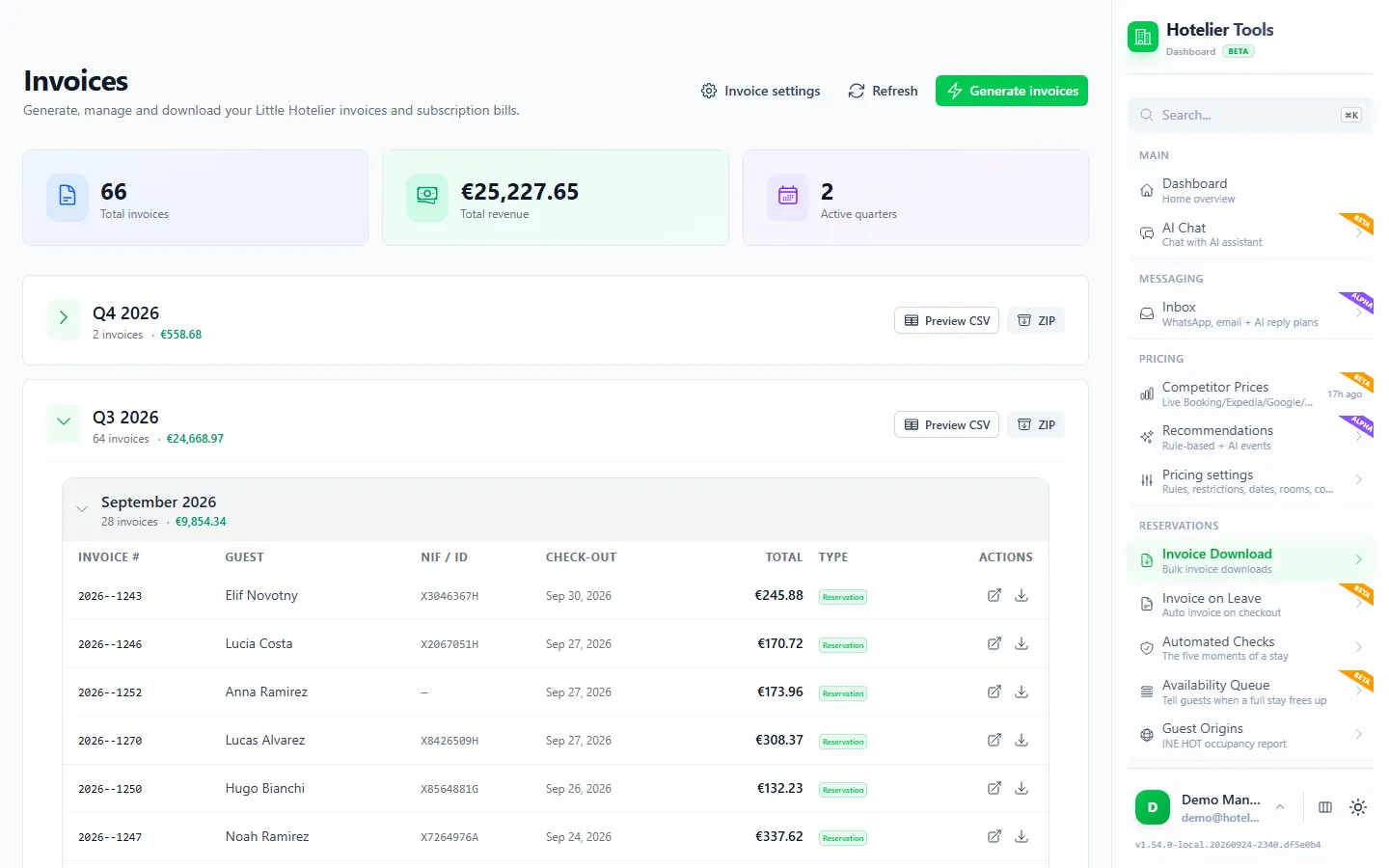
Pick a date range and get every invoice from Little Hotelier as PDFs in one ZIP, with a CSV summary for your accountant.

dashboard.hotelier.tools/invoices

Third quarter 2026

186 invoices

  • LLaura Martín3 nights264,00 €Invoiced
  • TThomas Weber2 nights178,00 €Invoiced
  • VViajes Duero S.L.5 nights640,00 €Missing tax ID
  • AAkira Sato1 night92,00 €Invoiced
invoices-2026-Q3.zip186 PDF
summary-2026-Q3.csvCSV
Invoice emailed to the guest at checkout

What it does

  • Stable

    Quarterly download

    A ZIP of PDFs and a CSV summary for each quarter.

  • Beta

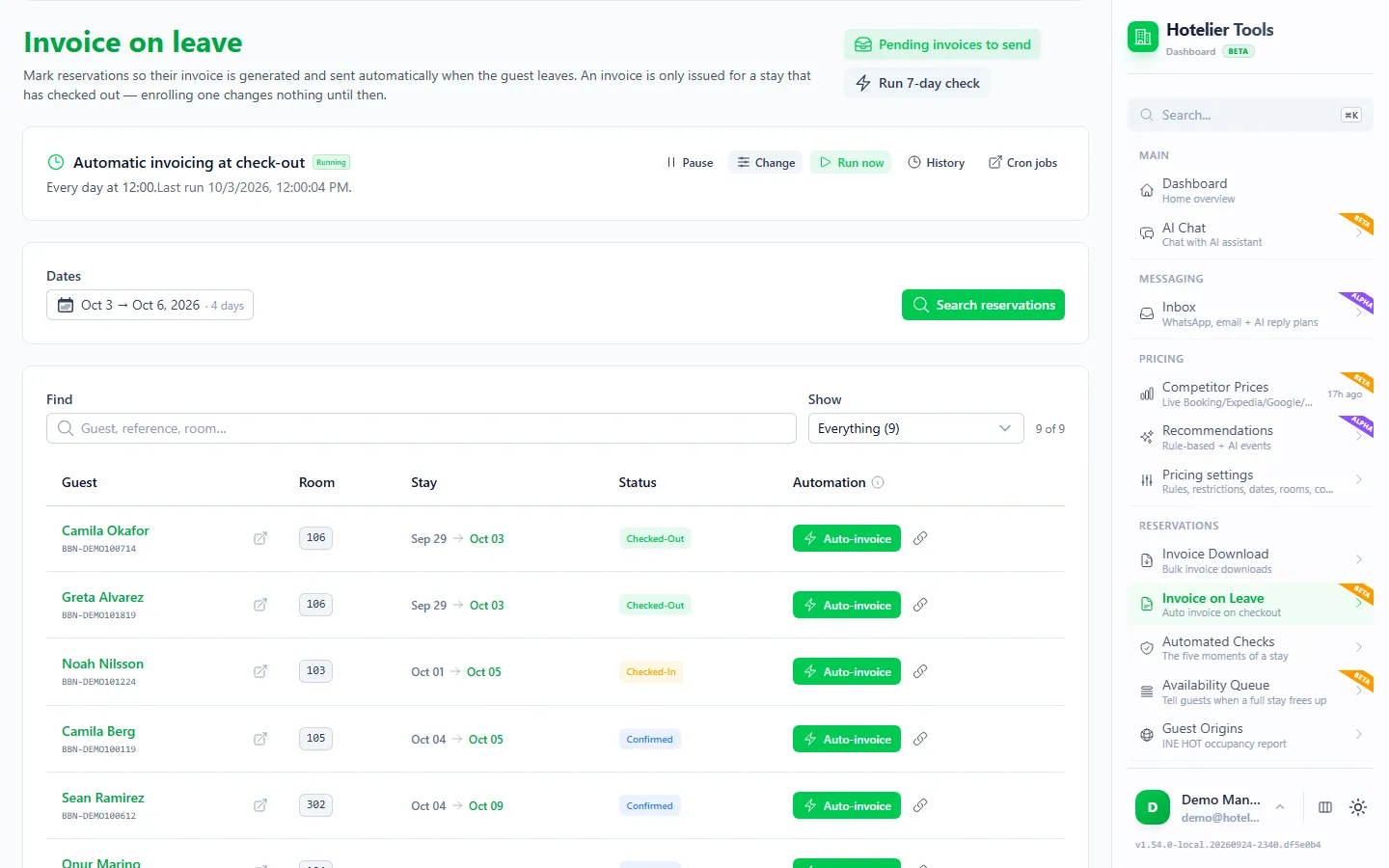
    Invoice at checkout

    Mark a stay and the invoice is created and emailed to the guest when they leave.

  • Stable

    Checks before invoicing

    Stops company invoices without a tax ID, early invoices and duplicates.

  • Stable

    Failed invoices

    See why a booking could not be invoiced and retry once it is fixed.

  • Stable

    Invoice language

    Invoices follow the guest's country, or always use the language you choose.

Bulk invoices and invoices at checkout for Little Hotelier

Invoicing creates the missing Little Hotelier invoices for a date range in one run and gives you each quarter as a ZIP of PDFs plus a CSV summary for your accountant. It can also have Little Hotelier email the invoice to a guest automatically once they check out.

How it works

  1. Generate a period. On Invoice Download (/invoices), press Generate invoices and choose the dates, for example 1 July to 30 September. Hotelier Tools reads those reservations and asks Little Hotelier to generate an invoice for each stay that qualifies.
  2. Risky invoices are refused. A preflight check stops a stay that has not checked out, a company invoice without a tax ID or fiscal address, a malformed tax ID, and a stay that is already invoiced.
  3. Nothing is skipped silently. Every refusal lands on Errors (/invoices/errors) with its reason. Fix the reservation in Little Hotelier, then check it again.
  4. Download. Invoices are grouped by quarter and month. Press ZIP for every PDF, or Preview CSV to check the summary first.
  5. Invoice at checkout. On Invoice on Leave (/invoice-on-leave), mark a stay once. A daily task (16:00 by default) has Little Hotelier generate the invoice after checkout and email it from your own template and sender.

The invoices are Little Hotelier's own documents, so your numbering, logo and layout stay exactly as they are. Step-by-step guides: download all your invoices at once and send the invoice at checkout.

What you need

  • Little Hotelier connected on Credentials.
  • Guests checked out in Little Hotelier. If your team doesn't do that by hand, an optional Automatic check-out task (15:05) closes the day's departures.
  • Company name, tax ID and fiscal address on the reservation for business guests.
  • A guest email on the reservation for invoices sent at checkout.
  • The invoice language, set in Settings > Invoices: from the guest's country, or always the same, with a fallback language.

Limits and good to know

  • Status: bulk download, preflight checks, errors and language are stable. Invoice at checkout is in beta.
  • The checkout task looks back 8 days to catch up on missed runs and reads up to 100 checkouts per run. A past stay with no guest email is reported once, not retried every day.
  • There is no VeriFactu feature. In Spain, keep that step in Little Hotelier.

Emails you'll receive

Real examples of what lands in your inbox, and what your guests get.

⚠️ The scheduled task "Invoice at checkout" failed

Hotelier ToolsReception

Hotelier Tools

Scheduled task failed

The scheduled task "Invoice at checkout" could not finish (2026-10-12T09:30:00Z), so this check is still pending.

See invoices waiting to be sentSee the error logReview the task
Little Hotelier: the password has expired (401). Automated work is paused until it is updated.

The task will retry on its schedule, and the next successful run will also send the invoices from the last 7 days that were left behind. You only get this alert the first time it fails.

Sent by Hotelier Tools

Example with invented data, based on the emails the dashboard sends.
Guides about Invoicing

All guides

Free until 10 January 2027

Use every feature, including the ones in beta and alpha, and help us shape what comes next.

  1. From today to 9 January 2027

    0 €

    Free for every hotel.

    • Every feature included
    • No card needed
    • Your feedback shapes the roadmap
  2. 10 January 2027Billing starts
  3. Throughout 2027

    50 €/ month

    For hotels that try Hotelier Tools in 2026.

    • Start using it before 31 December 2026
    • The price stays the same all through 2027
    • Per hotel, per month
Start freeTry the demo

The browser scripts stay free.

More from the dashboard

Missing something your hotel needs?

Tell us what would save you time. We read every request and use them to decide what to build next.