Beta

Catch problems before the guest arrives

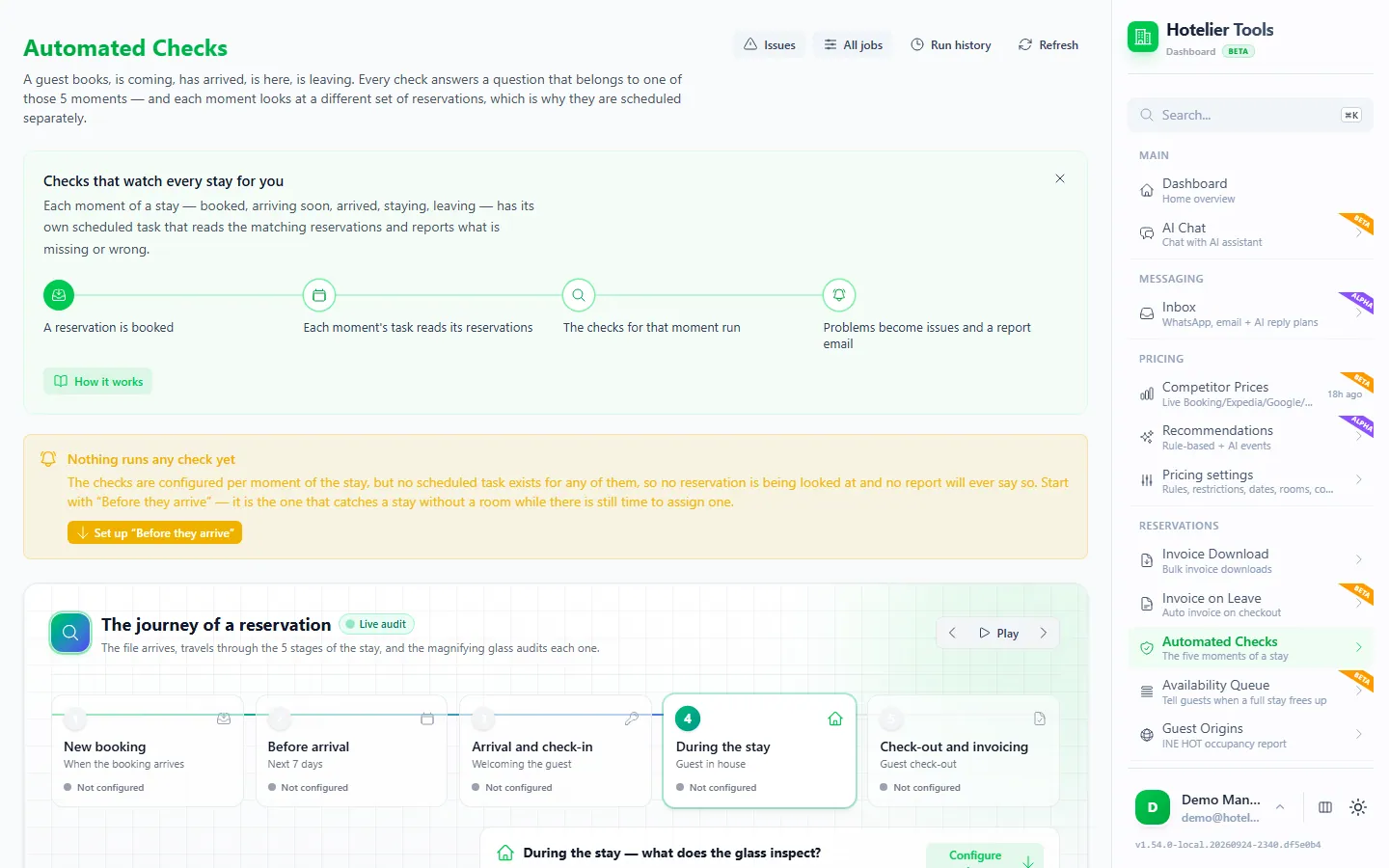
Every reservation is checked at five moments of the stay, so you see what needs attention, from a missing ID to an unpaid balance.

dashboard.hotelier.tools/automated-checks
  1. 1Booked
  2. 2Before arrival
  3. 3Arrival
  4. 4Stay
  5. 5Checkout
  • Guest on your do-not-rebook listM. Keller
  • ID document missingThomas Weber
  • Unpaid balance of 120 €Laura Martín
  • No room assignedAkira Sato

Daily summary sent to reception

What it does

  • Beta

    Five check moments

    After booking, before arrival, on arrival, during the stay and at checkout.

  • Beta

    Issues by reservation

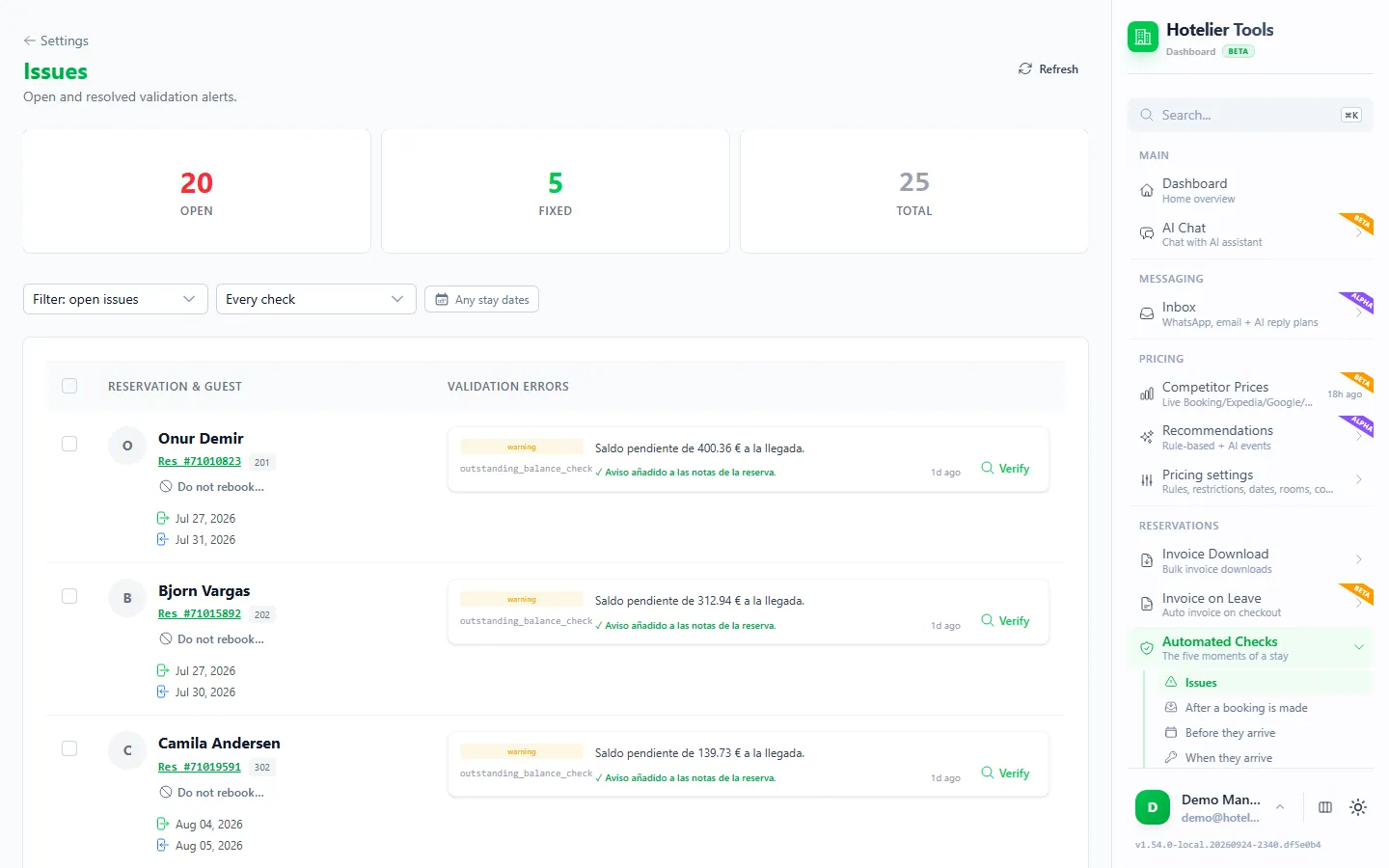
    Open and resolved issues in one list, with a button to check again.

  • Beta

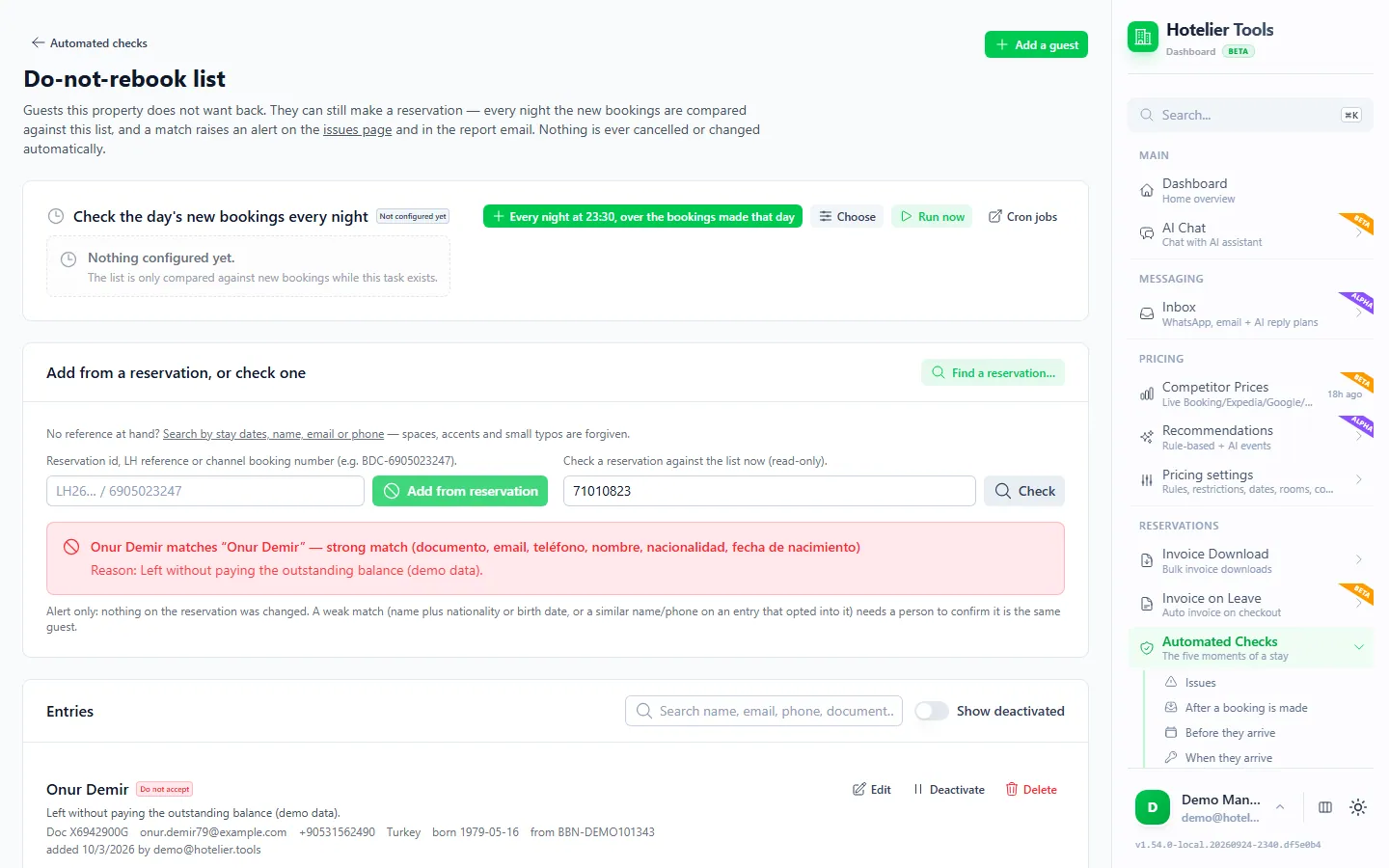
    Do-not-rebook list

    Get an alert when a guest you flagged books again. Nothing is cancelled for you.

  • Beta

    Email reports

    A clear summary in your inbox, easy to read on any phone.

Automated reservation checks for Little Hotelier

Automated checks read your Little Hotelier reservations at five moments of the stay and flag what needs fixing: no room assigned, an unpaid balance, a missing ID document or address, or a guest on your do-not-rebook list. Problems land on one Issues page, and each run sends you a report email.

How it works

Each moment is its own scheduled task, reading a different set of reservations:

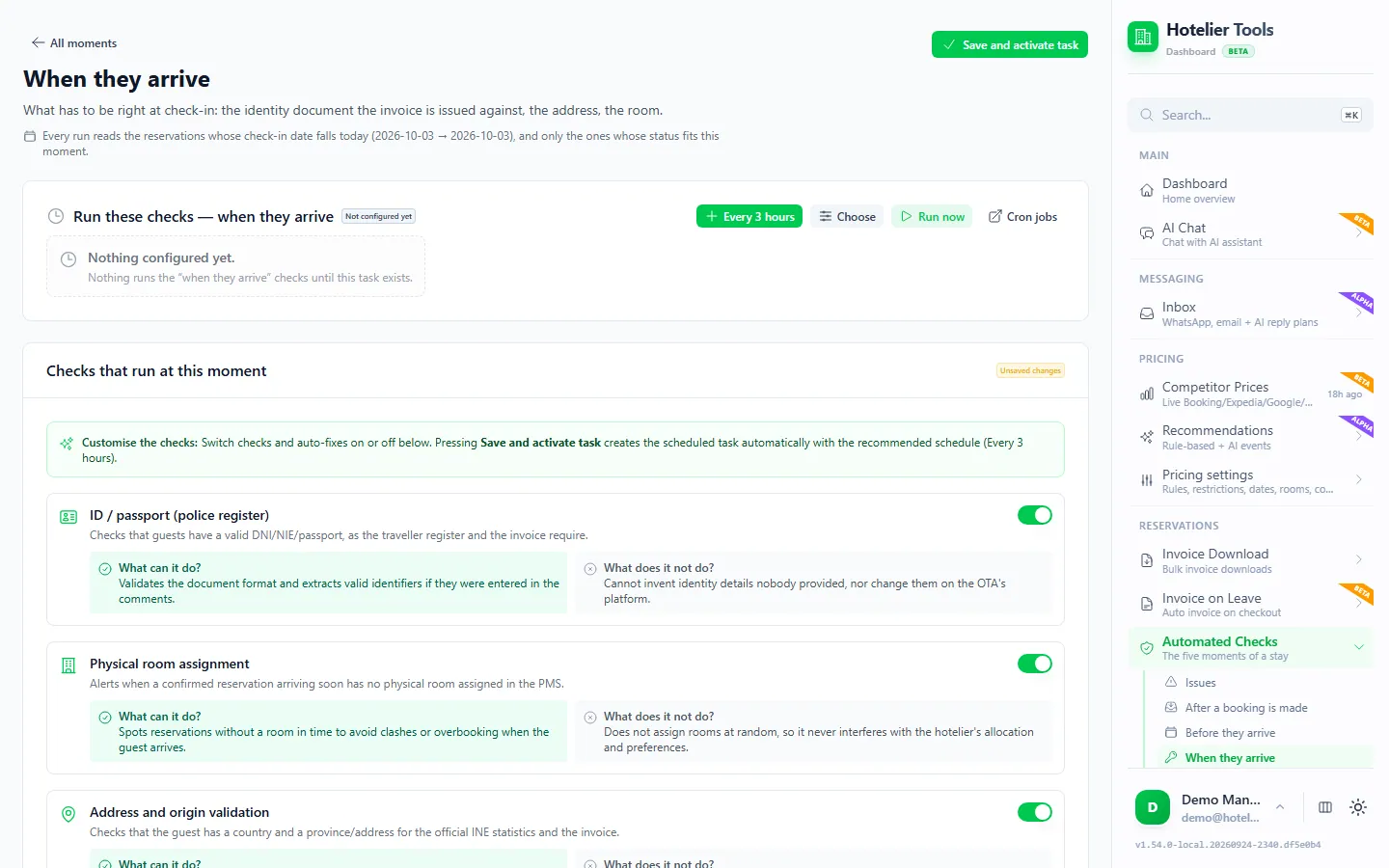
  • After a booking is made: booked yesterday and today. Checks room, ID, address and the do-not-rebook list.
  • Before they arrive: check-in from today to 7 days ahead (adjustable from 1 to 60). Checks room, payment and the do-not-rebook list.
  • When they arrive: check-in today. Checks ID, address and room.
  • While they are here: check-in in the last 7 days (adjustable). Checks ID and address.
  • When they leave: check-out today. Checks ID, address and balance.

Open a moment on Automated Checks (/automated-checks), switch its checks on or off and press Save and activate task. Issues appear on /automated-checks/issues, grouped by reservation. Fix the booking in Little Hotelier and press Verify: the checks run again on that one reservation and the issue closes.

The Do-not-rebook list (/automated-checks/watchlist) compares new bookings and upcoming arrivals with the guests you flagged, every night. A match becomes an issue and a line in the report.

The full routine is in the front desk checklist. How to keep the list lawful is in the do-not-rent list guide.

What you need

  • Little Hotelier connected on Credentials.
  • One moment switched on to start. Before they arrive is the suggested first one, because it catches a stay without a room while there is still time to assign one.
  • Report recipients, set in Settings > Notifications (/settings/notifications).

Limits and good to know

  • Status: beta.
  • They only alert. No check edits, cancels or charges a booking, and a do-not-rebook match never refuses a guest. The exception is the optional automatic check-out, which writes to Little Hotelier and is off by default.
  • At most once an hour per job, because each run signs in to Little Hotelier.
  • Three checks stay manual: invalid Booking.com cards, guest counts and arrival times. See what to do with an invalid card or a no-show.
  • If your Little Hotelier password expires, the jobs pause instead of retrying until you save the new one.

Emails you'll receive

Real examples of what lands in your inbox, and what your guests get.

🚨 Automated Checks (2026-10-12 → 2026-10-19) — 3 problems

Hotelier ToolsReception

Hotelier Tools

Automated Checks Report

Period: 2026-10-12 → 2026-10-19

Looking 7 days ahead for arrivals.

42Reservations checked
3Open issues
5Fixed on their own
LevelGuestStayRoomProblem
ERRORM. Keller14/10 → 16/10Doble 2Do-not-rebook list: matched by email.
WARNThomas Weber15/10 → 17/10Doble 5ID document: missing for 1 of 2 guests.
WARNLaura Martín16/10 → 19/10Doble 3Unpaid balance: 120,00 € still due.
⚙️ Configure checks

Sent by Hotelier Tools

Example with invented data, based on the emails the dashboard sends.

Guides about Checks

All guides

Free until 10 January 2027

Use every feature, including the ones in beta and alpha, and help us shape what comes next.

  1. From today to 9 January 2027

    0 €

    Free for every hotel.

    • Every feature included
    • No card needed
    • Your feedback shapes the roadmap
  2. 10 January 2027Billing starts
  3. Throughout 2027

    50 €/ month

    For hotels that try Hotelier Tools in 2026.

    • Start using it before 31 December 2026
    • The price stays the same all through 2027
    • Per hotel, per month
Start freeTry the demo

The browser scripts stay free.

More from the dashboard

Missing something your hotel needs?

Tell us what would save you time. We read every request and use them to decide what to build next.