Improve Style For Touch Screens
This script adjusts the Little Hotelier reservation screen for touch screens, such as a tablet at reception. It makes the Print and Email menus larger, highlights their buttons, and shows the remove-room button that otherwise only appears when a mouse hovers over it. It is for front desk teams that work on tablets or touch monitors.
The problem it solves
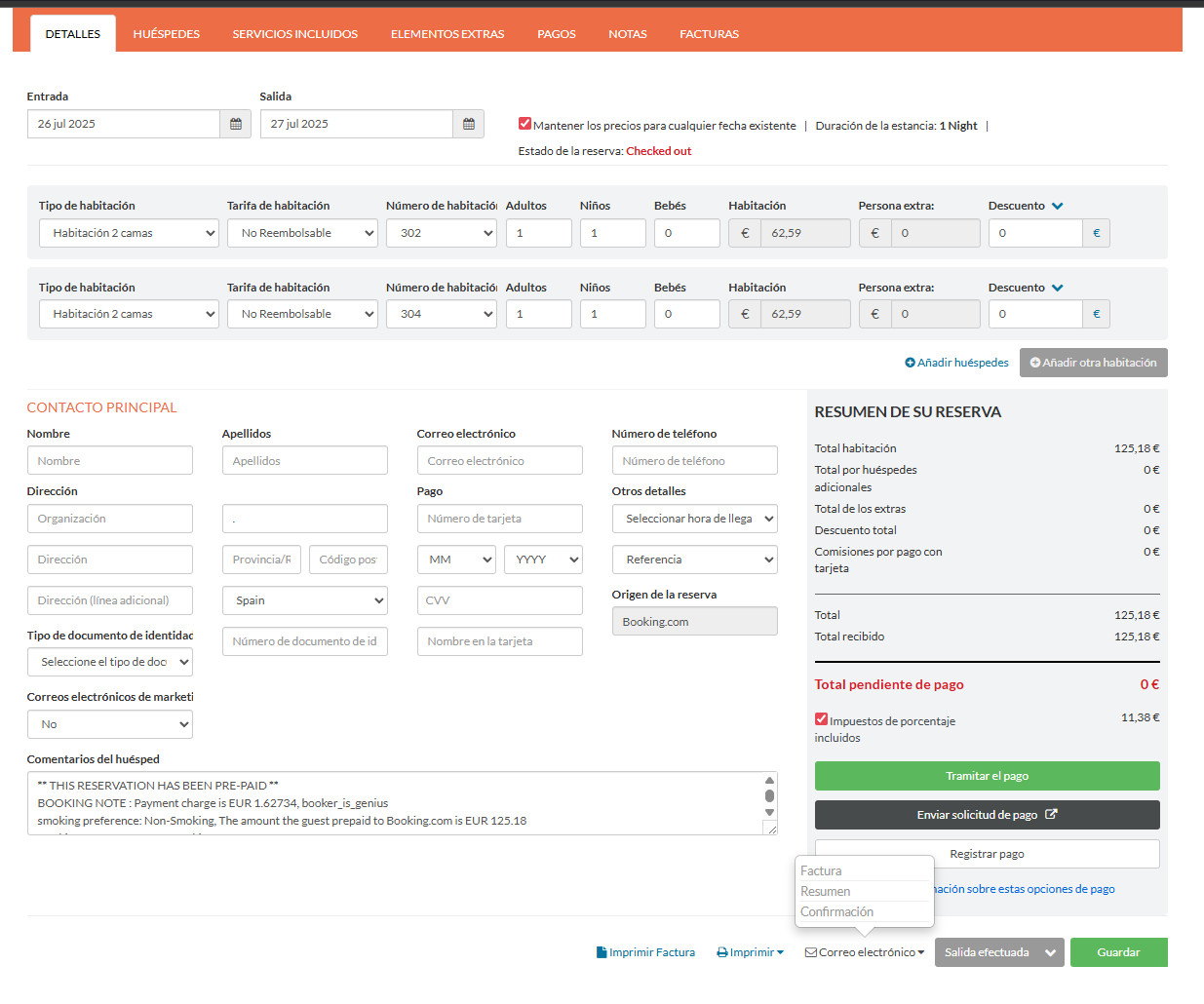
Little Hotelier's reservation screen is designed for a mouse. The Print and Email options open in small popover menus with small text, which are hard to hit with a finger. The button to remove a room from a reservation stays hidden until you hover over the room, and a touch screen has no hover, so on a tablet that button is hard to reach.
What changes
On the reservation screen in Front Desk:
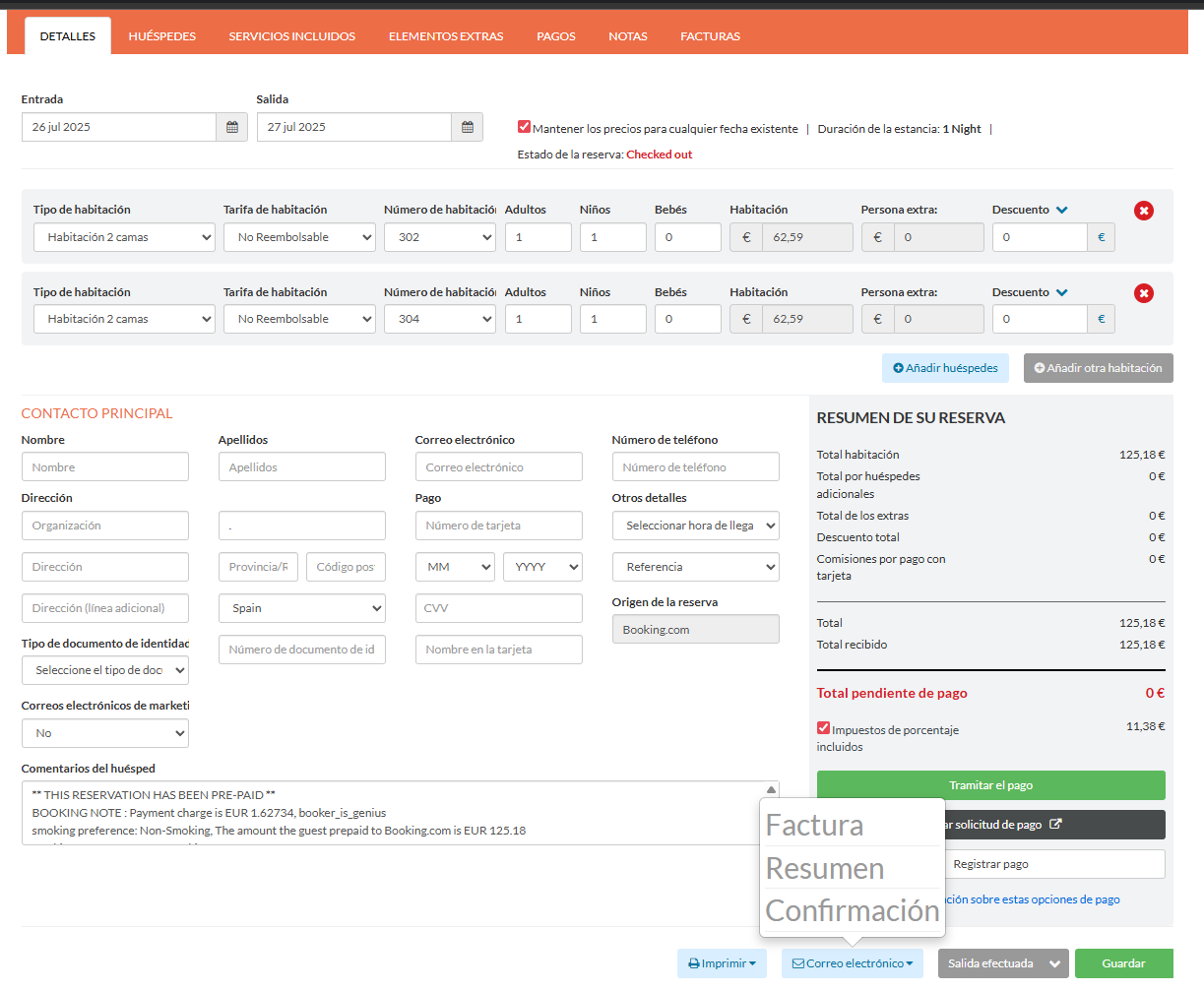
- Remove-room button: the round button to remove a room from the reservation is always visible.
- Print and Email menus: the items in these popover menus use much larger text (30 pixels), and the menus grow wider to fit them.
- Footer buttons: the Print and Email buttons in the reservation footer get a light blue background and extra spacing, so they are easy to find and tap.
- Email invoice menu: the small info icon next to the invoice option is hidden.
How to install
Install the free Tampermonkey extension in the browser of your tablet or computer, press Install on Tampermonkey on this page, confirm, and reload Little Hotelier. The installation guide shows every step. The script runs on Front Desk pages at app.littlehotelier.com. It is free and open source: read the code on GitHub.
Good to know
- Tampermonkey must be available in the tablet's browser. Test the setup on your own device before relying on it at the desk.
- The changes also apply on a desktop computer. The remove-room button is now always on screen, so take care not to click it by mistake.
- It only changes styles. It does not change what any button does, and it stores nothing.
- The newer screens on application.littlehotelier.com, such as the calendar, are not affected.
- For more touch-friendly guest forms, Easy Save Province and Country also enlarges the add-guest and expand buttons.