Chekin Connection
This script connects Chekin, the online check-in service, with Little Hotelier. When you open a reservation, a Chekin panel shows the guests who have already registered and lets you copy their details into Little Hotelier's guest forms. It is for front desk teams that use Chekin to collect guest IDs.
The problem it solves
Without it, every arrival means finding the booking in Chekin, checking who has registered, and copying document numbers and addresses by hand. It is slow, and copied ID numbers are easy to mistype.
What changes
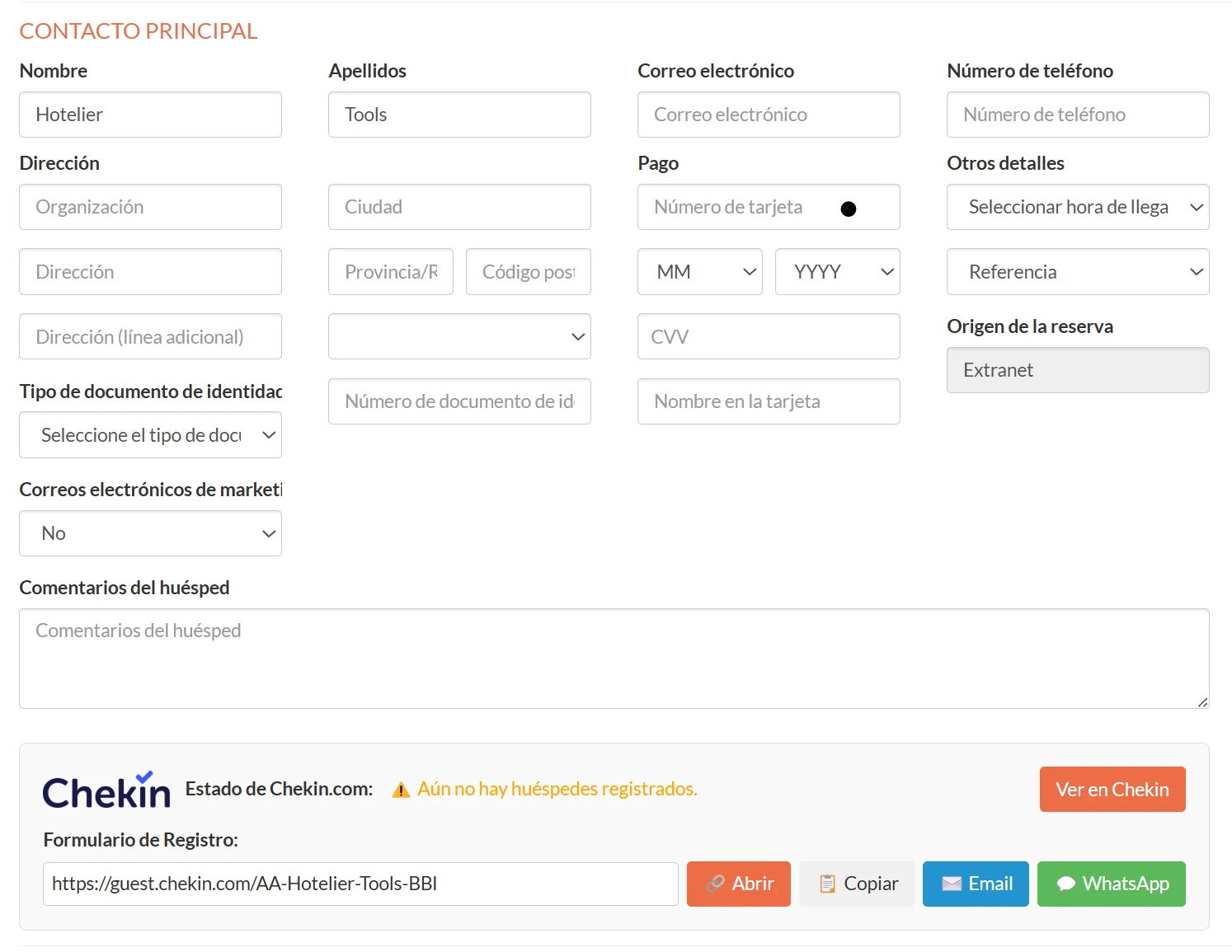
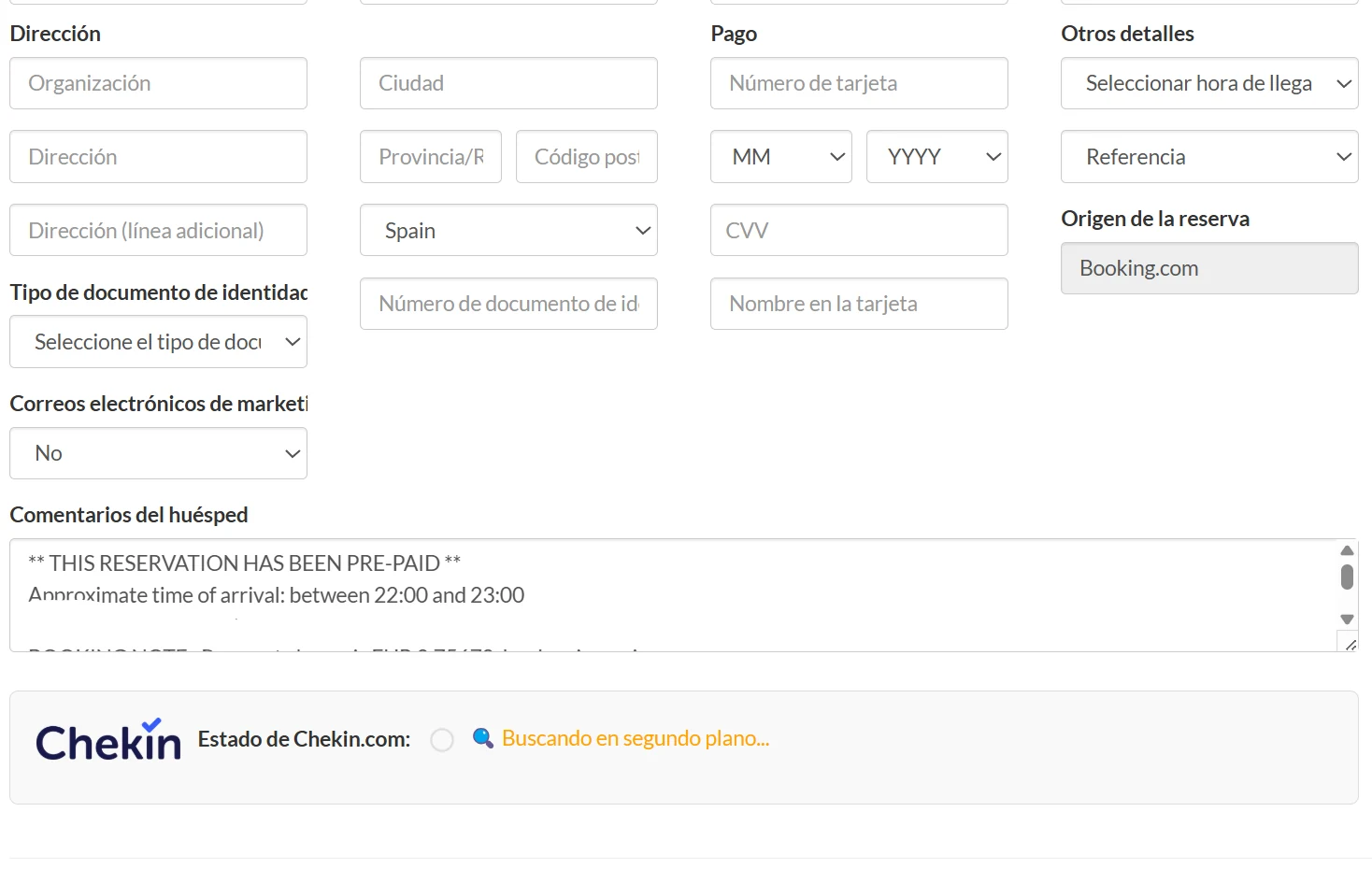
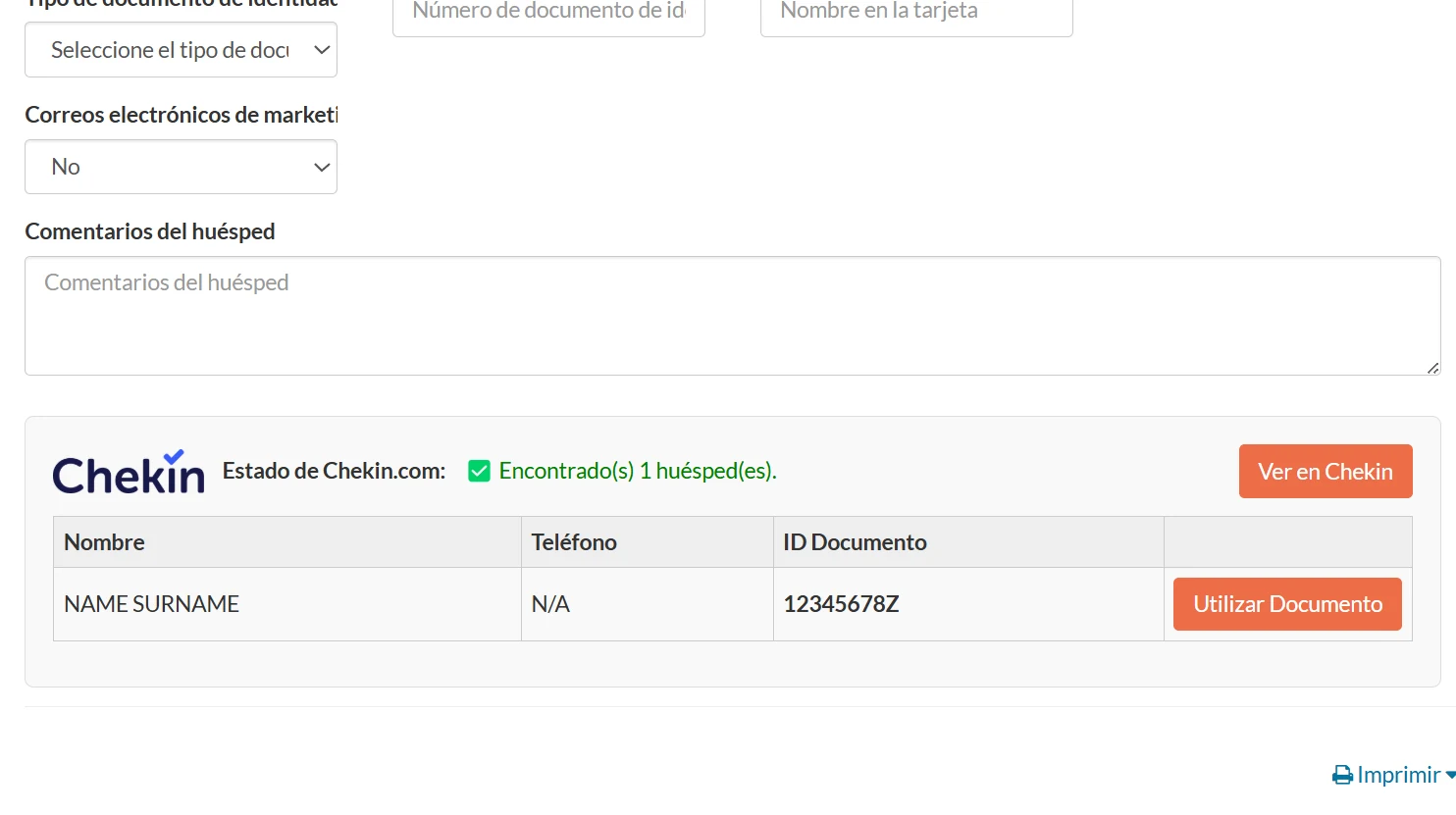
On the reservation edit screen in Front Desk, a Chekin panel is added to the main contact section:
- Status: whether the reservation was found in Chekin and how many guests are registered, with a View in Chekin link.
- Guest table: name, phone, document ID, city, province and country of each registered guest.
- Use as Primary: copies that guest's document number into the main guest's ID field, ready for the invoice.
- Save Guest and Save All Guests: fill Little Hotelier's additional guest forms with the Chekin data. You then press Little Hotelier's Save button to confirm.
- Registration form link: when nobody has registered yet, the guest form link with Open, Copy, Email and WhatsApp buttons, using the guest's email and phone from the reservation.
- Create Checkin Reservation: if nothing matches, creates the reservation in Chekin from the Little Hotelier dates, rooms, guest count and contact details.
On the calendar, the script also loads Chekin data for visible reservations in the background, so reservations open faster.
How to install
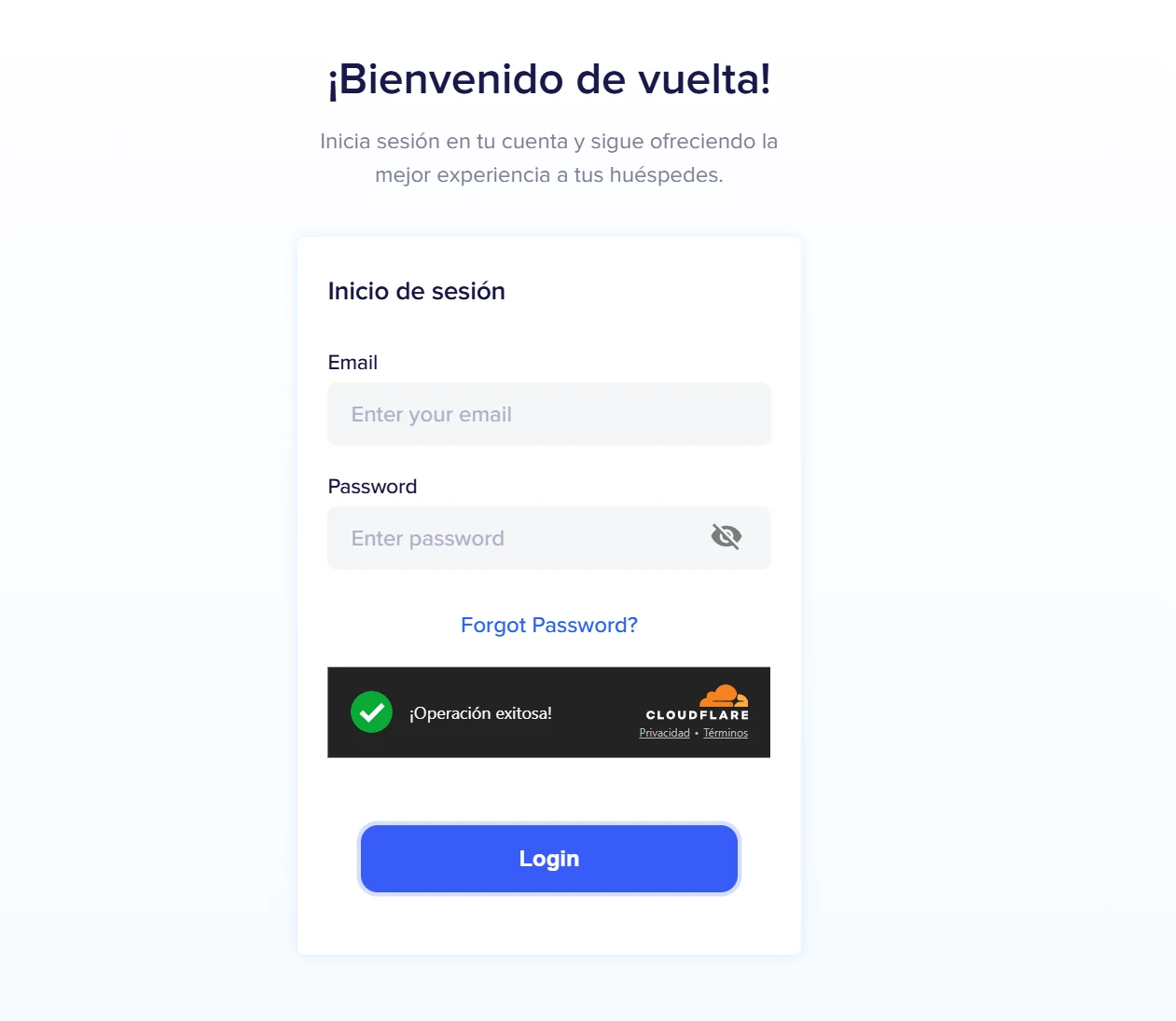
You need the free Tampermonkey extension and a Chekin account. Press Install on Tampermonkey, confirm, then sign in to dashboard.chekin.com in the same browser. The installation guide shows the steps. The script runs on Little Hotelier reservation edit pages, the calendar, and Chekin dashboard pages that it opens itself. It is free and open source: read the code on GitHub.
Good to know
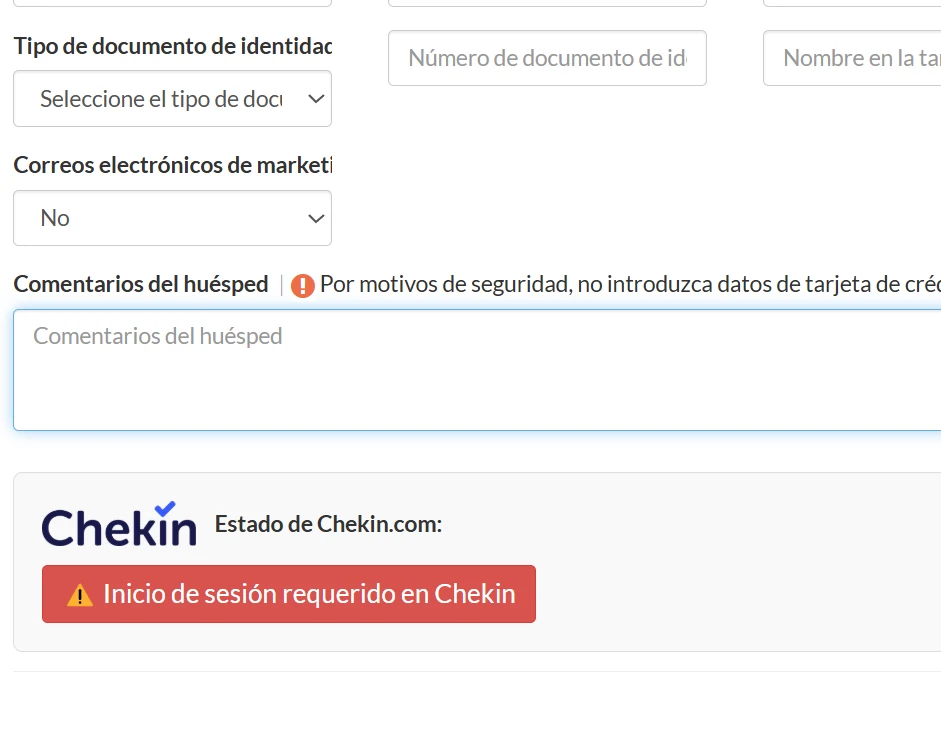
- It uses your own Chekin login. If you are signed out, the panel shows a Login Required on Chekin button.
- To search, it opens a Chekin tab in the background.
- The reservation needs a check-in date and an assigned room. It matches by booking reference, then by room number.
- Results are kept in your browser for up to 24 hours, and calendar preloads for up to 4 hours.
- The panel follows your browser language (English or Spanish). The shared messages end with the author's property signature; edit it in the script.