Compact Calendar UI
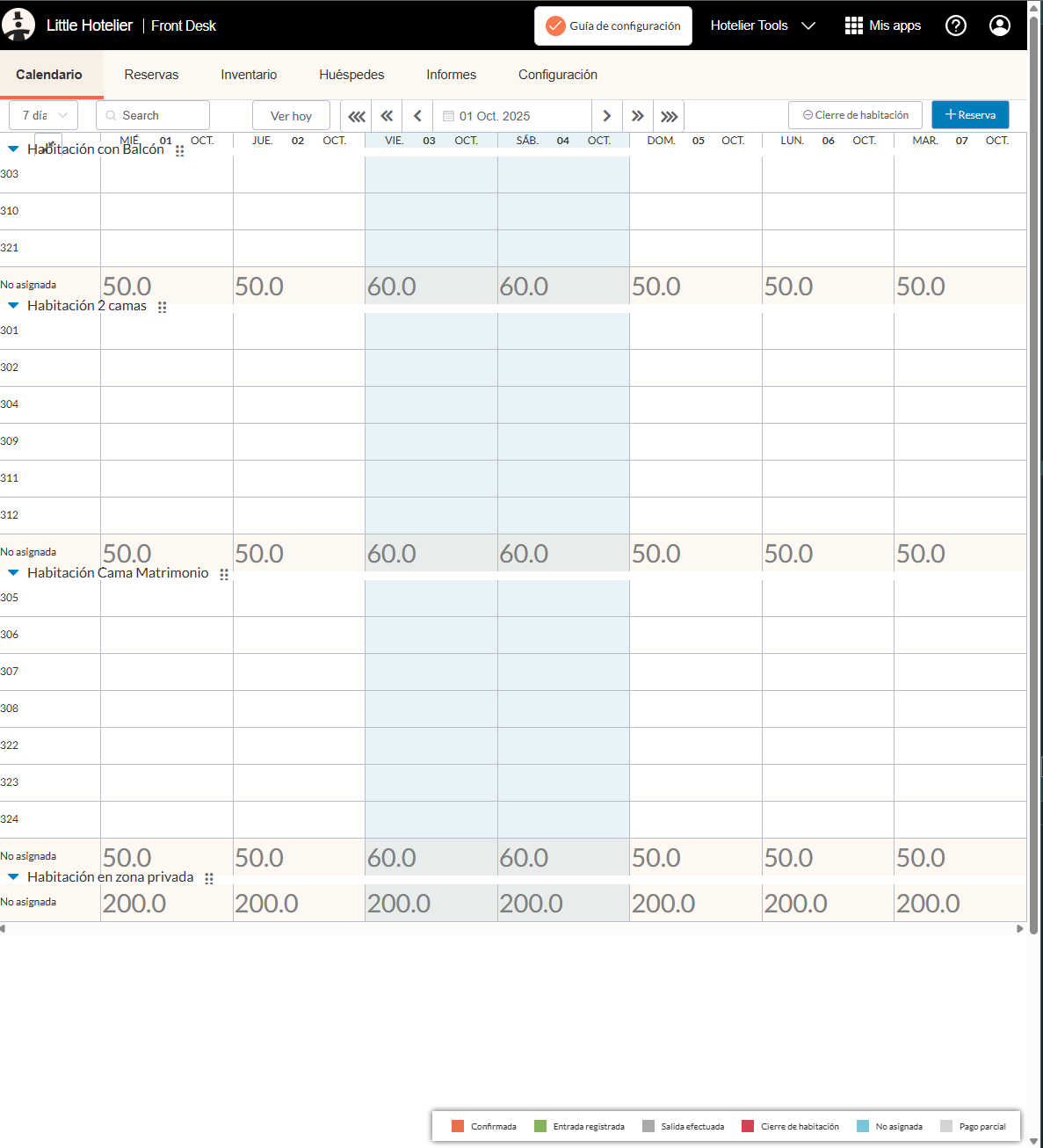
This script trims empty space from the Little Hotelier calendar so more rooms fit on the screen without scrolling. It is for front desk staff who keep the calendar open all day and want to see the whole property, or most of it, at a glance.
The problem it solves
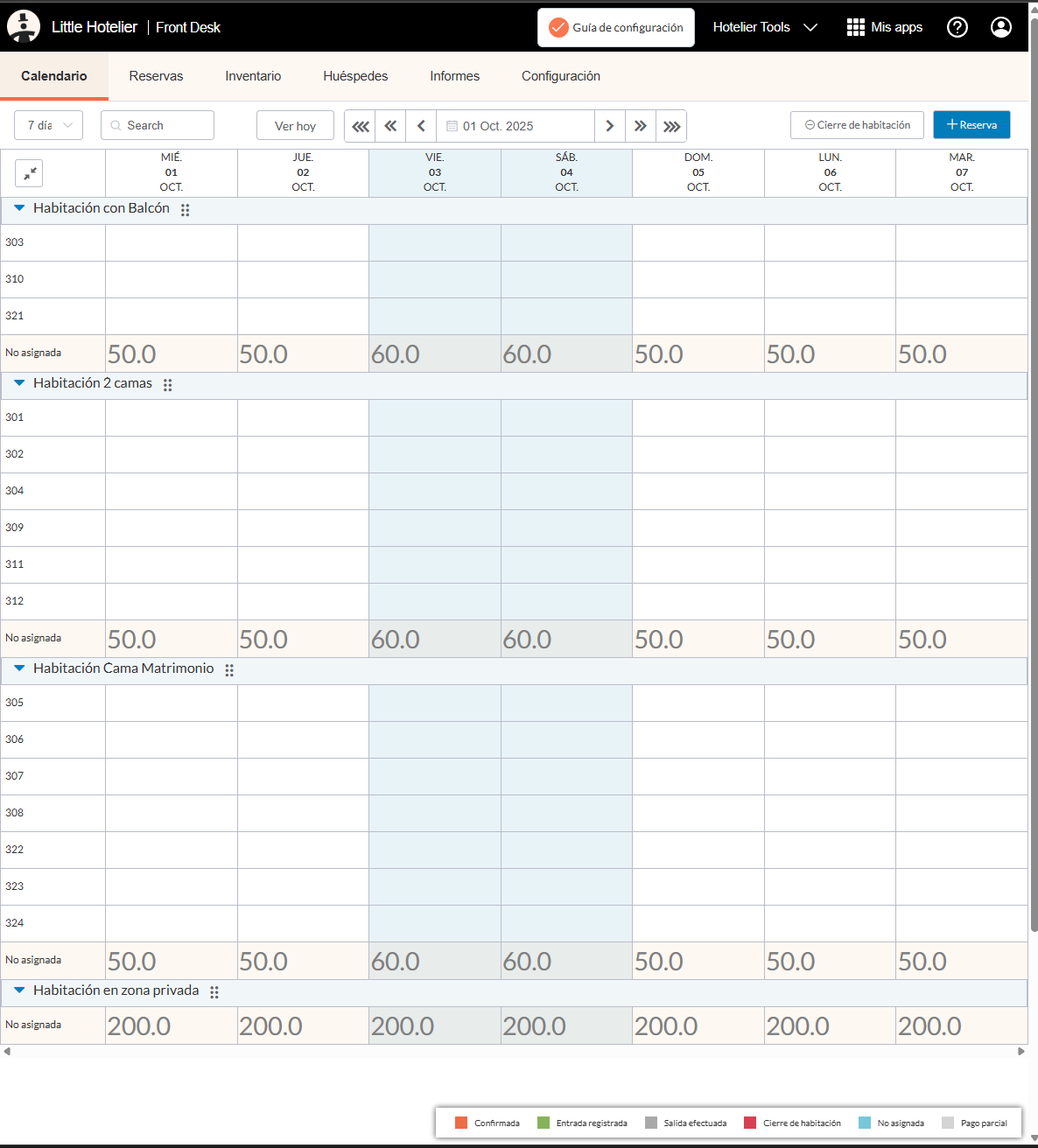
The standard calendar uses a lot of vertical space before the first booking appears. Each day's header stacks its information on three lines, every room type has its own tall heading row, and the navigation and filter bar add extra margins. On a laptop screen this pushes rooms out of view, so you scroll up and down to check availability while a guest is waiting.
What changes
All changes are visual, made with styles added to the page:
- Date headers: the weekday and date sit side by side on one row instead of being stacked on three lines.
- Top left header cell: its height is limited, so the header row stays short.
- Room type heading rows: shorter, with a transparent background and no borders, so they take less space between rooms.
- Expand or collapse all button: its padding and margins are removed.
- Navigation and filters: the margins above the date navigation and below the filter options are reduced.
The booking bars and room rows themselves are not changed. Only spacing and the header layout are.
How to install
Install the free Tampermonkey extension, press Install on Tampermonkey on this page, confirm, then reload the calendar. Step-by-step pictures are in the installation guide. The script matches app.littlehotelier.com and application.littlehotelier.com, but its styles only affect the calendar table and its toolbar. It is free and open source: read the code on GitHub.
Good to know
- It adds its styles once when the page loads. It does not read or store any booking data.
- It does not change the number of days shown. Use Little Hotelier's own date range options for that.
- It works the same with a mouse or on a touch screen.
- It works alongside Prices Display, which writes each night's price under every room type on the same calendar.
- If Little Hotelier changes the calendar's layout, some of the adjustments may stop applying until the script is updated. Switch it off in the Tampermonkey menu if anything looks wrong.